Avoiding AI Slop
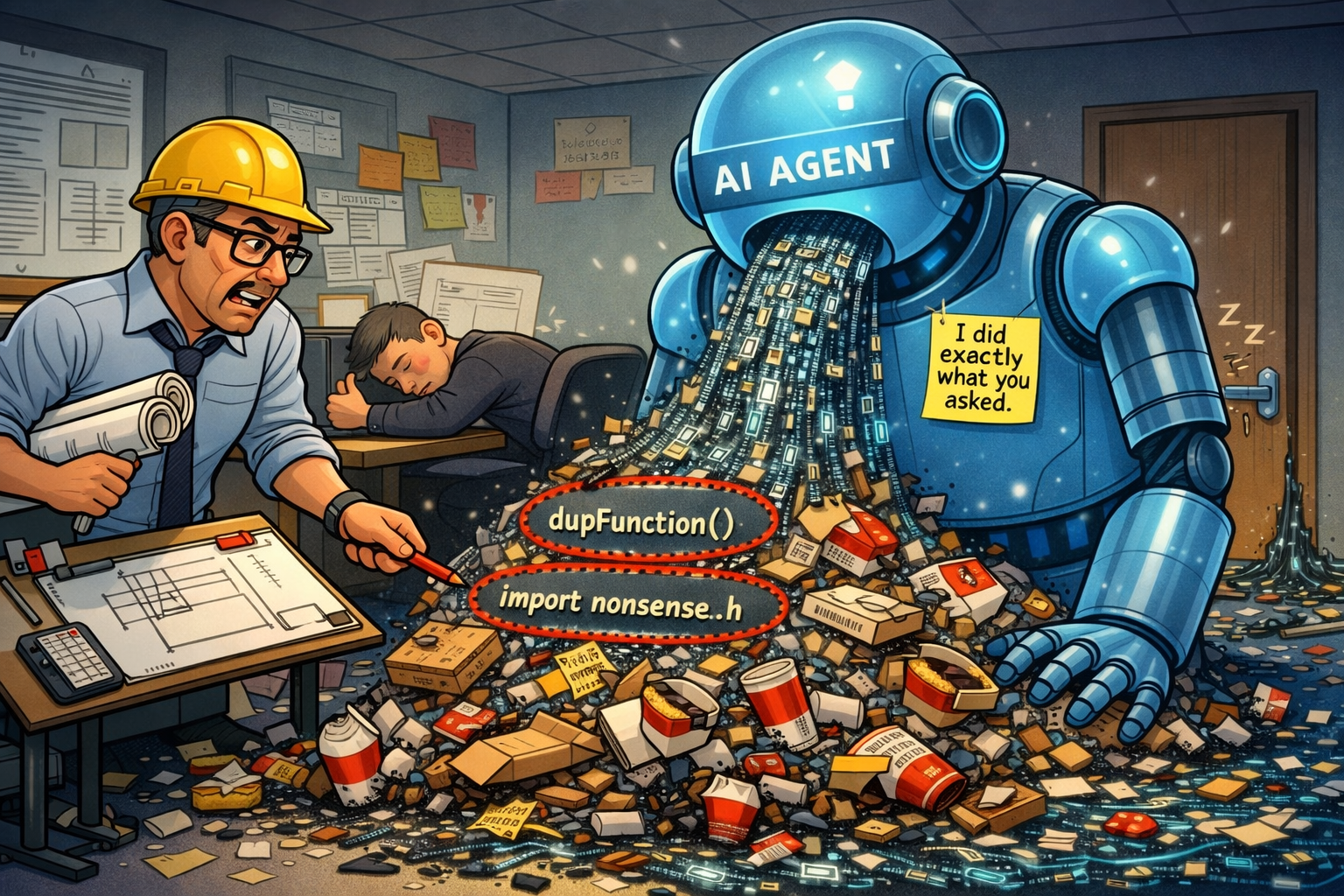
I was in a skip-level meeting the other day with an engineering leader. We were talking about AI and how using it can often lead to garbage code that is thrown away. Waiting for AI slop to generate wastes your time, and AI slop that gets merged can slow down your entire team with the cost of rewrites and making future additions more difficult. This got my brain spinning with questions like:
- What is AI slop?
- What actions lead to AI slop?
- How can you improve AI-generated code?
Here’s my opinion on all three of these elements.
What is AI slop?
From my perspective, slop is code that goes about solving a problem in the wrong way. Slop pre-existed AI models, and people are quite capable of generating slop with or without the help of AI. I wrote a ton of horrible code early on in my career that I would now consider slop. My first real application I ever built was a terrible conglomeration of PHP, SQL, and jQuery. The code did actually work. It solved the business need of storing a bunch of data in a database. I just checked to see if the website is still live, and that code is still running nearly 12 years later. oof
I have also generated less-terrible slop over the course of my career. I often write proof-of-concept PRs that are thrown away because those solutions did not solve the problem in the ideal way. Exploratory code that helps you learn is not a complete waste, but it’s not production-grade code either. Shipping bad code now is a mistake that can cost you significant amounts of time later in refactoring and data migrations. Technical debt still exists in a world with AI agents.
If you are prompting an agent and receiving slop, you should take a minute to reflect on what you’re asking the agent to do. Slop is likely a sign that you’re trying to solve a problem in the wrong way. The source (human or machine) doesn’t matter. Bad code is bad code. A bad solution is a bad solution.
One of the challenges of recognizing AI slop is that it can often appear like good code. These models can pump out thousands of lines of code in a short amount of time. The code can be readable and well-formatted, but AI models often write entirely new functions when there is an identical function elsewhere in the codebase or in a library you already have. In other cases, the AI agent might import an entirely new library to solve a small problem when it’s not needed. Catching issues like these can be tricky during a code review when the diff is thousands of lines long.
I’ve also seen humans make these same mistakes over my career. I did not approve those PRs with glaring issues before agentic development, and I won’t approve them now. AI agents can produce slop much faster than a person because they are not limited by a keyboard. It’s more important than ever to carefully read all code that hits production to avoid destructive outcomes for the sake of your customers and your codebase.
Your responsibilities to avoid slop include:
- Suggesting the correct solution and guiding the agent to a good output when writing code.
- Finding where the agent went off-course when reviewing generated code.
What actions lead to AI slop?
AI models have gotten extremely good recently. The new 4.6 Claude models I’ve been using are 🔥. With prior models, I often had to work smaller and be very specific about what I wanted to get a good result, but these newer models seem to be ridiculously smart even with a prompt that is less than ideal. Even with these improvements, slop is still very easy to generate. I’ll dive into a real-world example of AI slop from my job.
I was reviewing an AI-generated PR the other day. At a high level, my team was adding a feature to a recording app that has multiple ways of starting and stopping recording. There were already 2 buttons that could start and stop recording, but we wanted to add hotkey support. I was reading the code, but I was confused by the structure of it. I was having trouble tracing the logic, and I soon realized that we had throttling in 3 places that could lead to subtle double-trigger bugs. I started thinking about what could be done to improve maintainability and reliability of the code.
After some thought, I realized that we needed to go beyond adding a new feature. Instead, we needed to refactor the existing code to be better so that we could cleanly support hotkeys. If we left the code as-is, the maintainability of hotkey logic was only going to get worse over time as we added to a bad foundation. This was a recipe for tech debt soup cooked over the heat from Anthropic’s datacenters.
On a different feature, I had solved a similar problem with CustomEvents. It didn’t matter if the event trigger was a button, a Chrome extension, or a hotkey. A listener watched for those events and did the right thing based on the state of the app. Using events would allow us to decouple our UI elements from the logical code. It would also allow us to centralize the logic for starting and stopping recording in one place. Handling the logic in one place would reduce the surface area for double-triggers. I talked with my boss about it, and I used Claude to create a branch that implemented the event listener approach. After a few rounds of back and forth with Claude, I updated the buttons to dispatch events. I used an existing React hook for the hotkey functionality to dispatch the same event on keypress. It was a much cleaner solution, easier to maintain, and much less error-prone.
In both cases, the AI agent did exactly what it was asked, but one solution was much better than the other. The difference in output was due to the breakdown of the problem and the solution that was proposed. Agents will likely produce slop if you are not prescriptive and detailed in your prompt about the qualities of a good solution. If you are not specific enough, the agent will try to come up with a solution on its own (likely slop). If you propose a poor solution to begin with, you’re definitely going to get some expensive AI word vomit.
How can you improve AI-generated code?
Suggesting a good solution is the best thing that you can do to improve your AI-generated code, but sometimes it can be difficult to figure out what a good solution to a problem might be. In those instances, you can ask your friendly neighborhood AI agent to recommend some solutions to you. Prototypes are pretty cheap in this AI-enabled world we have now, so it might be worth exploring a few different options before picking one.
I recently tried the Superpowers plugin with Claude on recommendation from a coworker. Superpowers breaks down solutioning into distinct steps, and one of those steps is brainstorming. Superpowers will recommend different approaches based on your input and feedback. I was pleasantly surprised at the quality of the code that was produced with the help of this plugin when I gave it a specific prompt. This plugin will chew through tokens quickly and take a while to run, but the result is probably worth it if you’re working on a medium-to-large feature. For smaller features or quick changes, a simpler prompt will probably do what you need.
One strategy I have found particularly effective for modifying existing code is to explain the current architecture in the prompt. I recently used the Superpowers plugin with a prompt like this:
I have two different React context providers that handle data related to user uploads: HighFreqContext and LowFreqContext. HighFreqContext receives progress updates frequently and rapidly updates certain UI elements. Because of performance issues, HighFreqContext is located much lower in the component tree to avoid rapidly rerendering large portions of the app. LowFreqContext receives updates much less frequently and is mounted much higher in the component tree. Can you refactor the code to combine the two providers using xstate/store so that we can use selectors to subscribe to the updates we care about without having a complicated provider setup? Please help me plan this refactor.
My prompt was intentionally very specific. I explained the architecture of the upload contexts and why they were separated. I told the agent what library I wanted to use to avoid a one-off solution. I also explained why xstate was beneficial to solving the problem. Superpowers asked several clarifying questions after my initial prompt which helped with setting the context for a good solution, and it also looked at other usages of xstate/store to match existing patterns. The resulting code was really good. I probably could have implemented it myself, but it would have taken 2-3x as long. My team was mostly happy with the code quality and we ended up shipping it.
To be clear, I would not recommend handing off an entire feature to any AI agent. Handing off slices of a feature like an endpoint, a model, or a well-scoped refactor is the sweet spot between effort and results IMHO. Output degrades as context grows, so keeping your changes to a reasonable size is definitely worthwhile. It will also make your AI-generated PRs easier to review while still providing a productivity boost.
Conclusion
If you’re trying to ship production-grade code with AI, I challenge you to play the role of the architect. Take the time to understand your problem and any relevant existing code. Be specific in your prompt about how you would like the problem to be solved, and thoroughly inspect the finished result to make sure it matches your expectations.
When you are reviewing code that is generated by an AI agent, the architect role still applies. Carefully inspect the structure of the code and consider if there is a better implementation. If you’re in doubt about the code quality, you can always brainstorm with an AI agent by asking questions like “Can you recommend a few approaches for how you would solve <insert problem statement>”.
If you apply these techniques in your daily work, I think your project will have better long-term success. In the short-term, you’re also much less likely to ship slop code. Your AI agent is only as good as the architect behind it.